Mech Vector · included with every course
A math strategy game where every shot is an equation.
Students command a squad of mechs on a coordinate grid. To fire, they write the math: a line, a parabola, a circle, an inequality. When the equation is right, the shot lands. The story follows the course they are taking, one chapter for every unit.
No account needed: Boot Camp, three demo missions, the Training Range, and a look around the map and the garage. Nothing is saved.
How a match works
Four steps, and the math is the move.
Matches are short rounds on a 13 by 9 grid. Nothing in the game can be bought that lands a shot: a hit always needs a correct equation.
Step 1
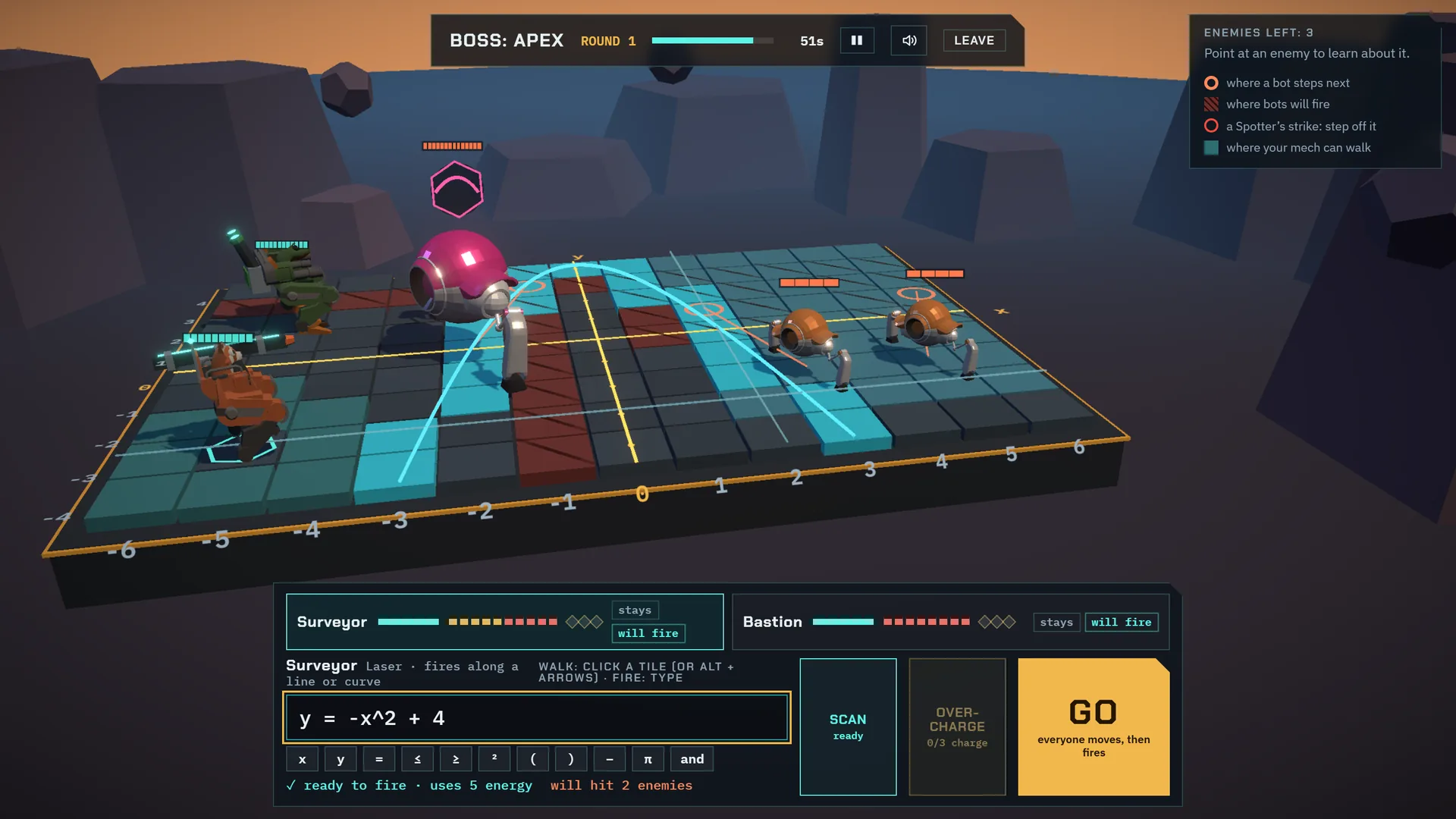
Pick your squad
A squad is the Surveyor, whose laser fires along a line or a curve, the Bastion, whose mortar fills a region of the plane, and a wingmate chosen in the garage. There are six mechs, each earned by playing, never bought.
Step 2
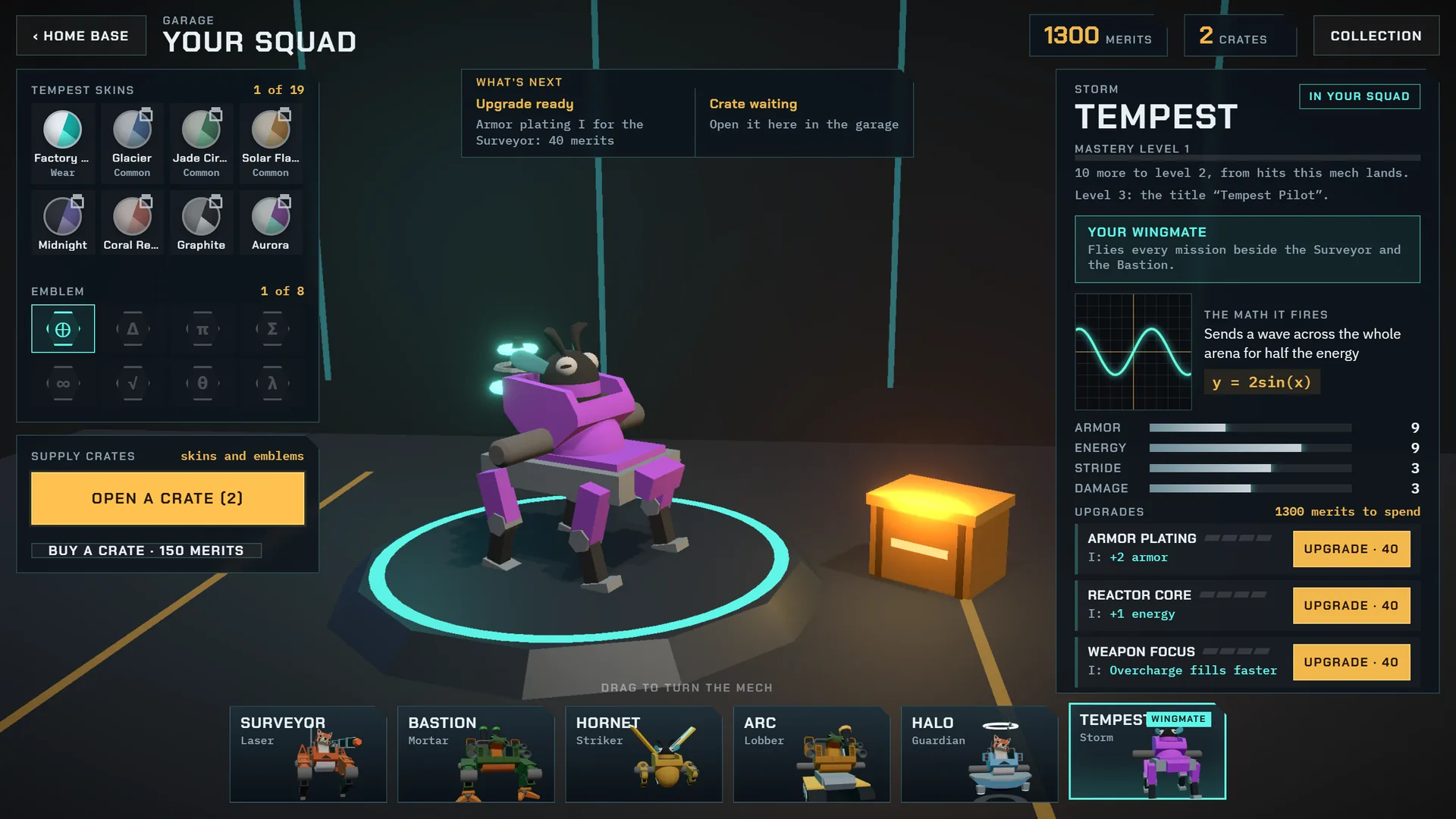
Read the board
The arena is a coordinate grid. Point at an enemy and its card says where it is, how it moves and what its armor lets through. A boss on a curved route shows the route, so the equation is there to be read.
Step 3
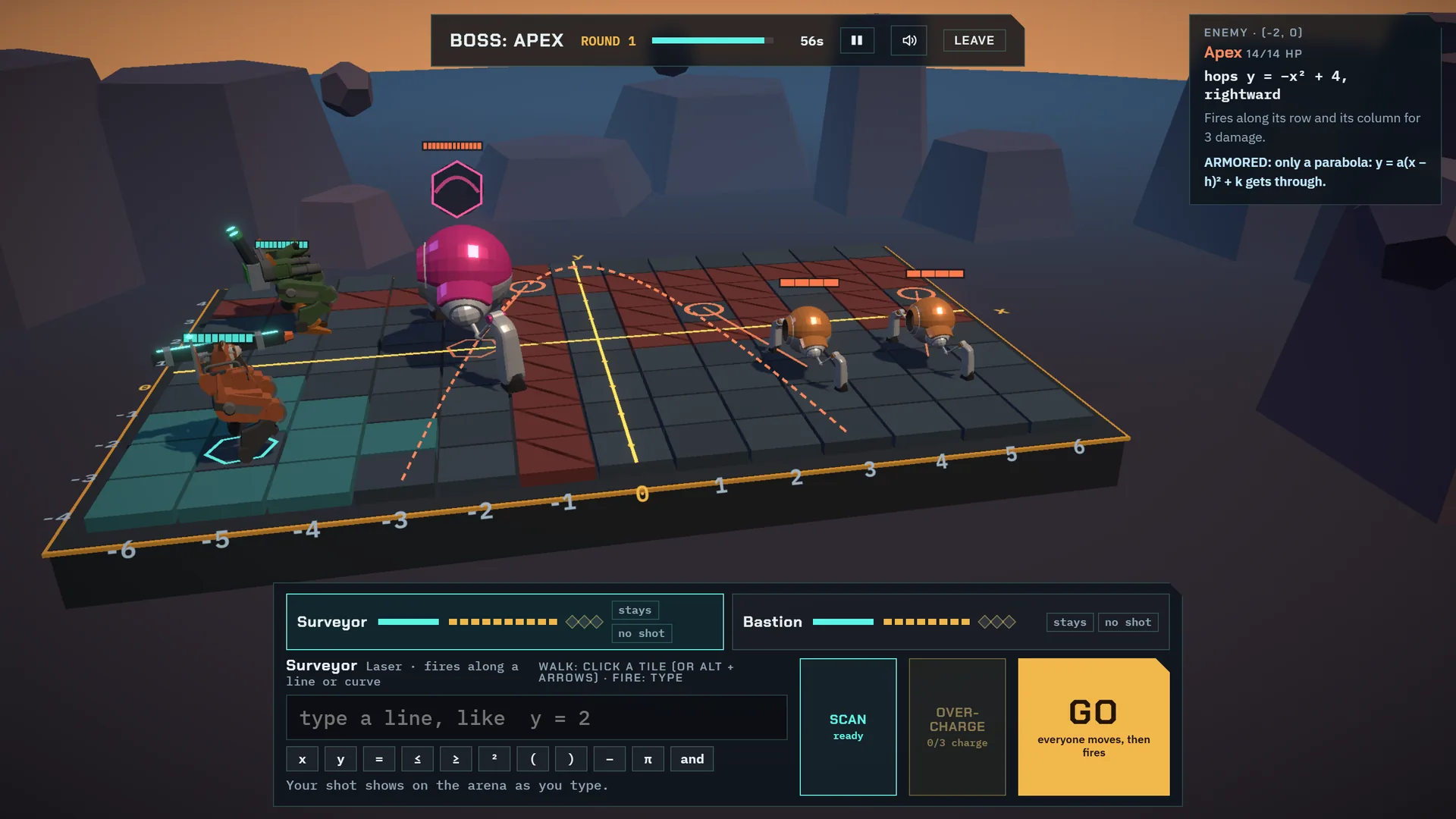
Type the equation, see the preview
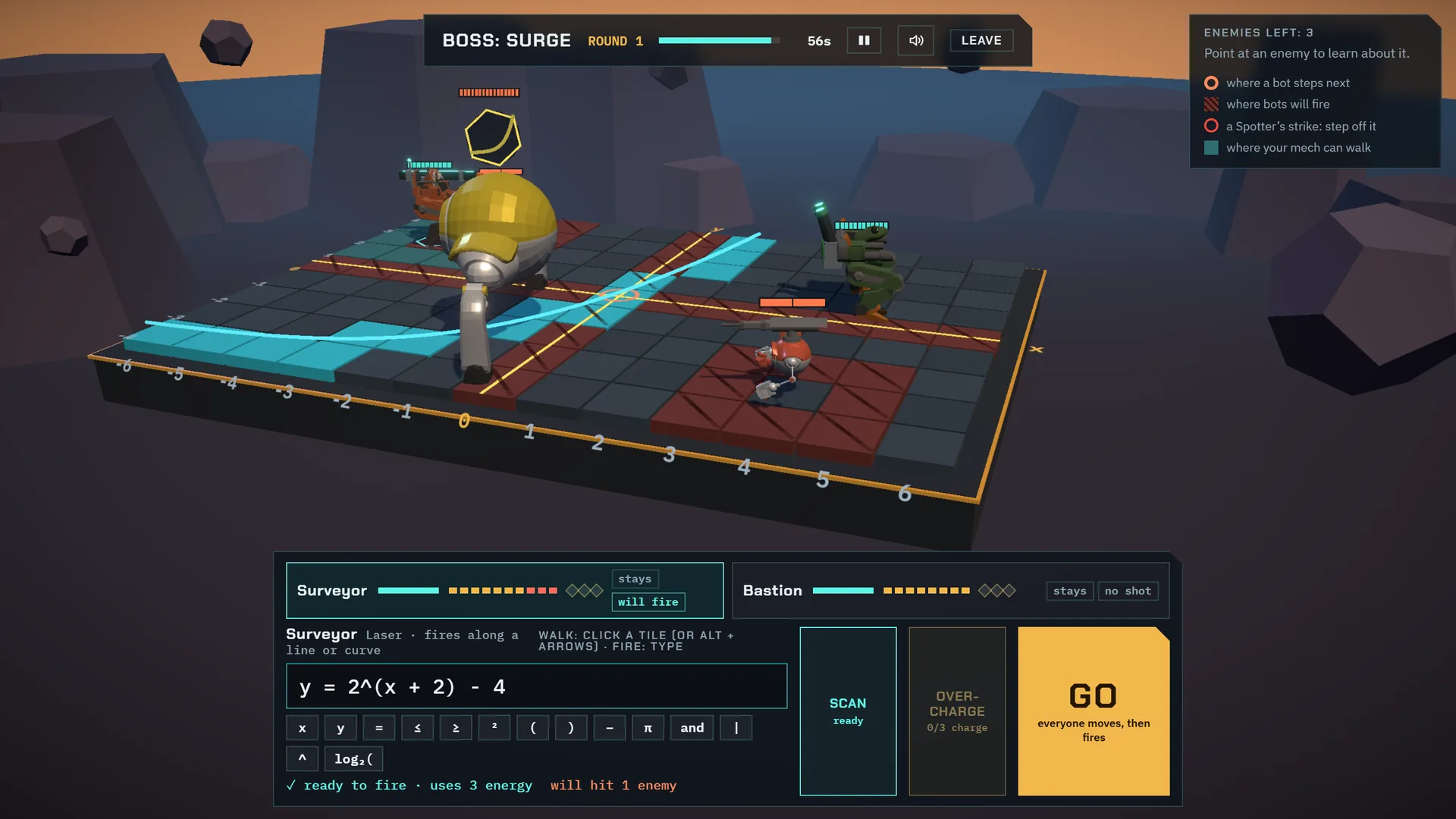
Type the shot: a line, a parabola, a circle, an inequality. The graph draws on the board as you type, and the panel says whether it is ready to fire and how many enemies it will hit. A wrong graph is visible before it costs anything.
Step 4
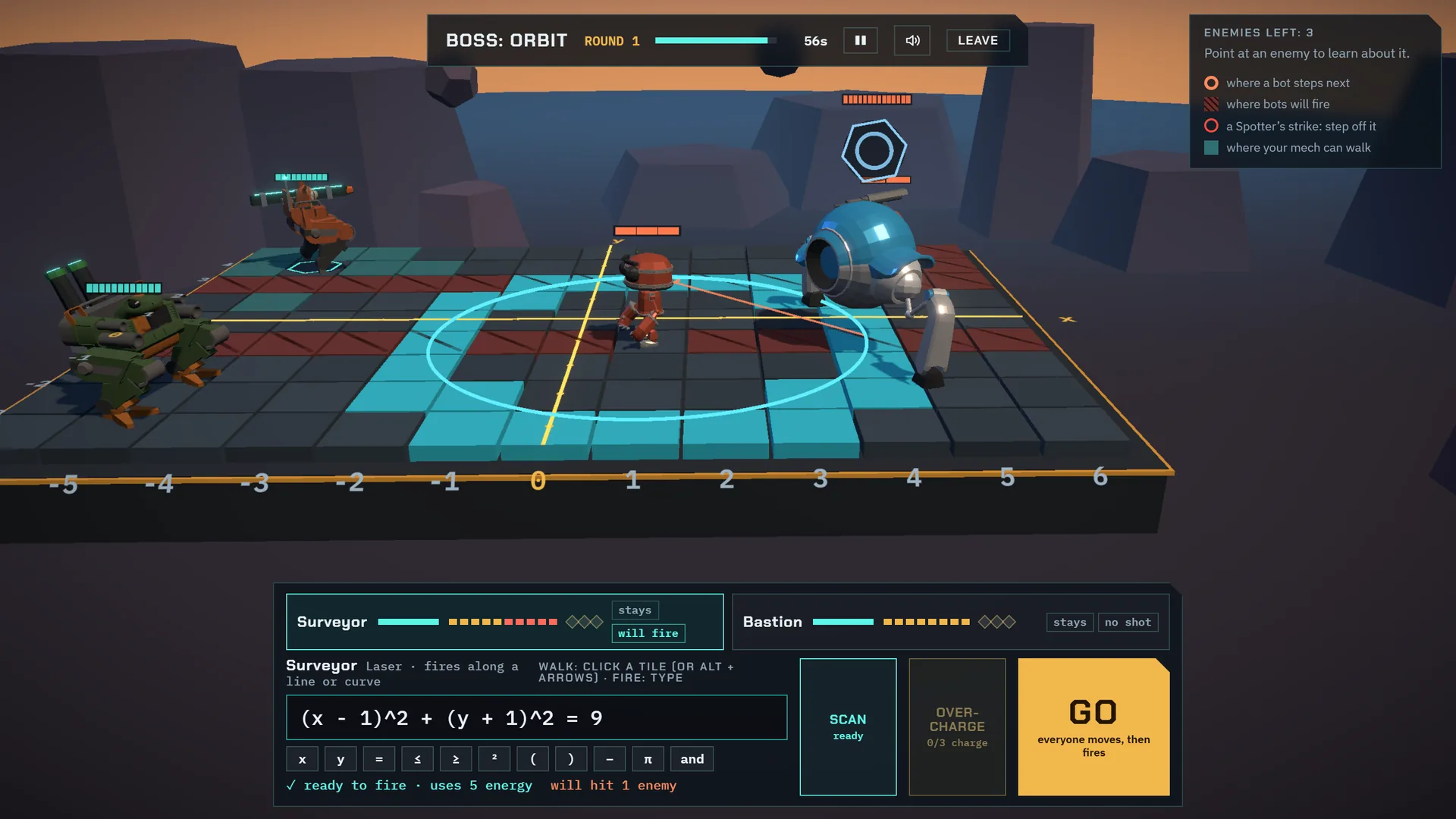
Press GO
Both sides move and fire at once. If the math is right, the shot lands. If not, the next round is a chance to fix it, and the teacher sees that fix.
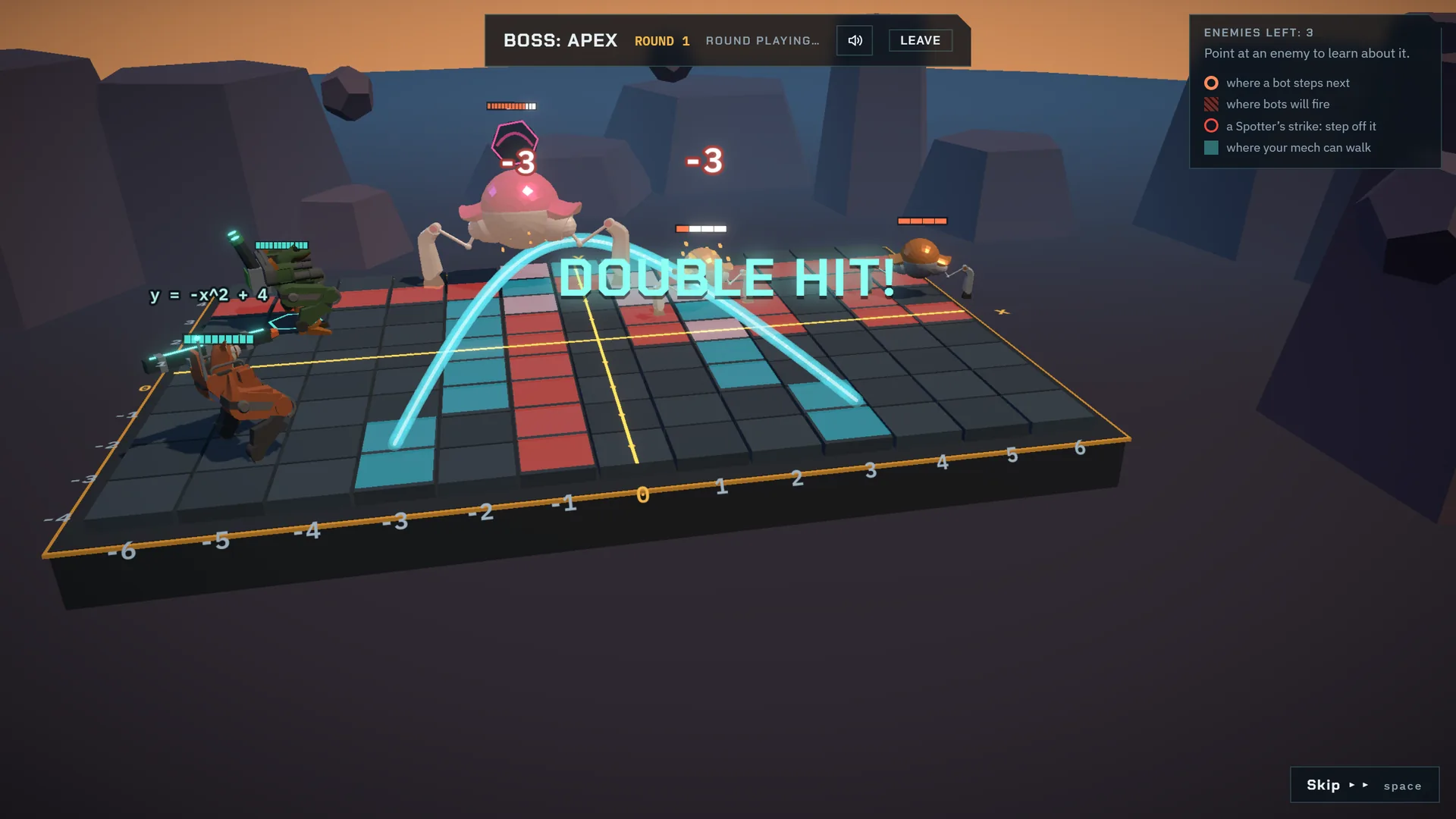
The weapons
Each weapon fires a kind of graph.
The laser fires along a line or a curve, the mortar fills a region of the plane, and the point strike hits one tile, named as an ordered pair. A student fires what their course teaches, and the arsenal grows with the course.
Bosses are armored against everything but their own graph: a parabola for a boss that hops along an arc, a circle for one that orbits a center, an exponential for one that rides a doubling curve. Each course’s final boss changes its pattern partway through the fight.
| The math | For example | Weapon | First used in |
|---|---|---|---|
| Rows and columns | y = 2 | Laser | 6th Grade |
| Points | (3, −2) | Point strike | 6th Grade |
| Inequality regions | x ≥ 3 and y ≤ 0 | Mortar | 6th Grade |
| Proportional lines | y = 3x | Laser | 7th Grade |
| Any line, and where two lines cross | y = 2x − 3 | Laser, point strike | 8th Grade |
| Slanted half-planes | y ≤ −x + 2 | Mortar | 8th Grade |
| Parabolas | y = −(x − 1)² + 3 | Laser | Math 1 |
| Systems of inequalities | y ≥ x and y ≤ −x + 4 | Mortar | Math 1 |
| Circles | x² + y² = 9 | Laser | Math 2 & 3 |
| Inside circles, above or below parabolas | x² + y² ≤ 4 | Mortar | Math 2 & 3 |
| Waves | y = 3sin(x) | Laser | Math 2 & 3 |
| Polynomials | y = x³ − 4x | Laser | College Algebra |
| Absolute value | y = |x − 2| − 1 | Laser | College Algebra |
| Rational functions | y = 2/(x − 1) + 1 | Laser | College Algebra |
| Exponentials | y = 2^x − 3 | Laser | College Algebra |
| Logarithms | y = log₂(x + 4) | Laser | College Algebra |
The story
A campaign that follows the class.
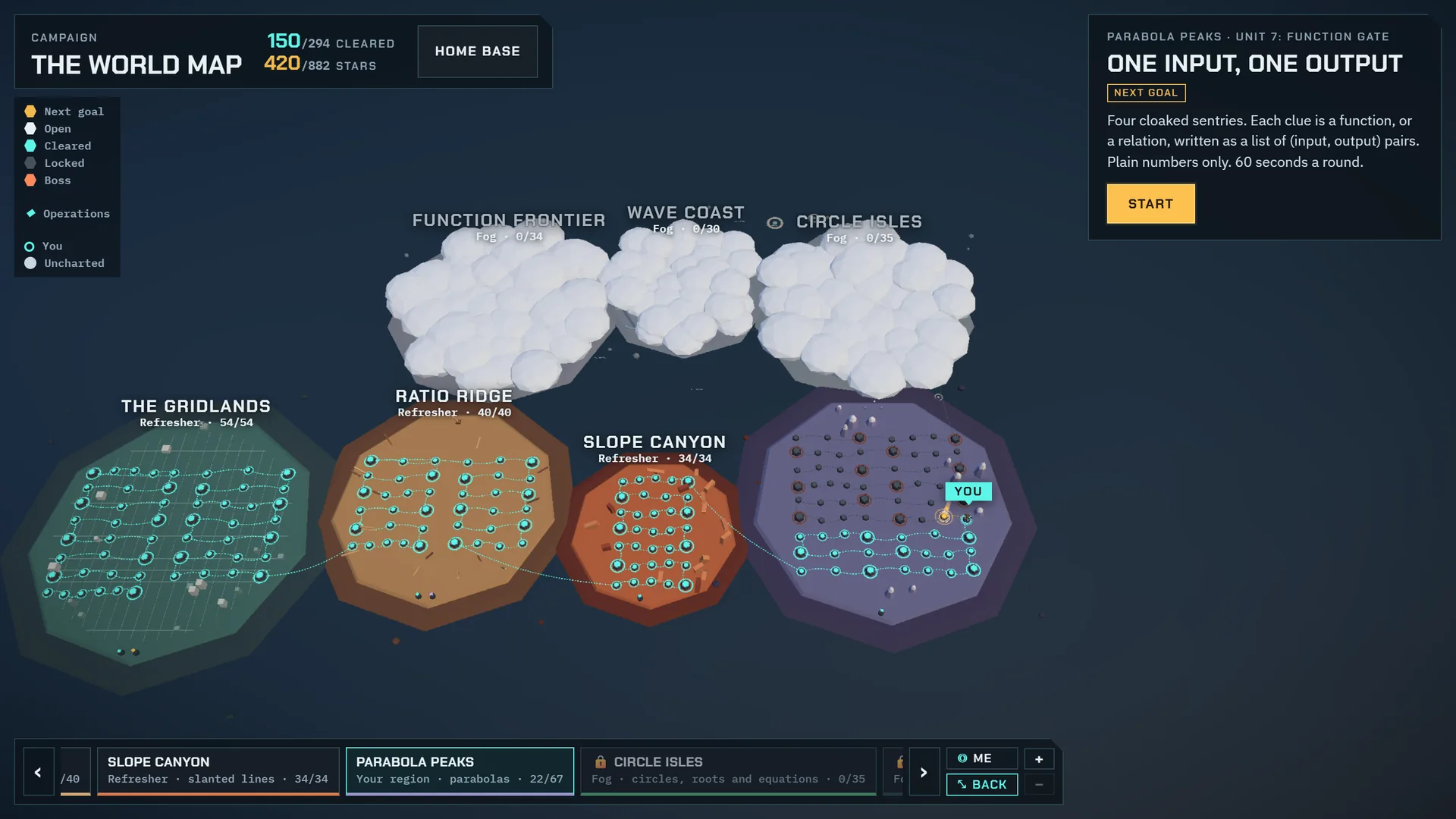
Each course is a region of the world map, and each unit of the course is a chapter. A chapter opens when the student reaches that unit in their lessons, so the game practices what the class is learning now, and there is always a chapter a little ahead to look forward to.
- Every chapter ends with a boss that only the chapter’s math can break.
- Puzzle boards ask for one exact shot.
- Operations let students practice any skill they have met, at Recruit, Veteran or Elite.
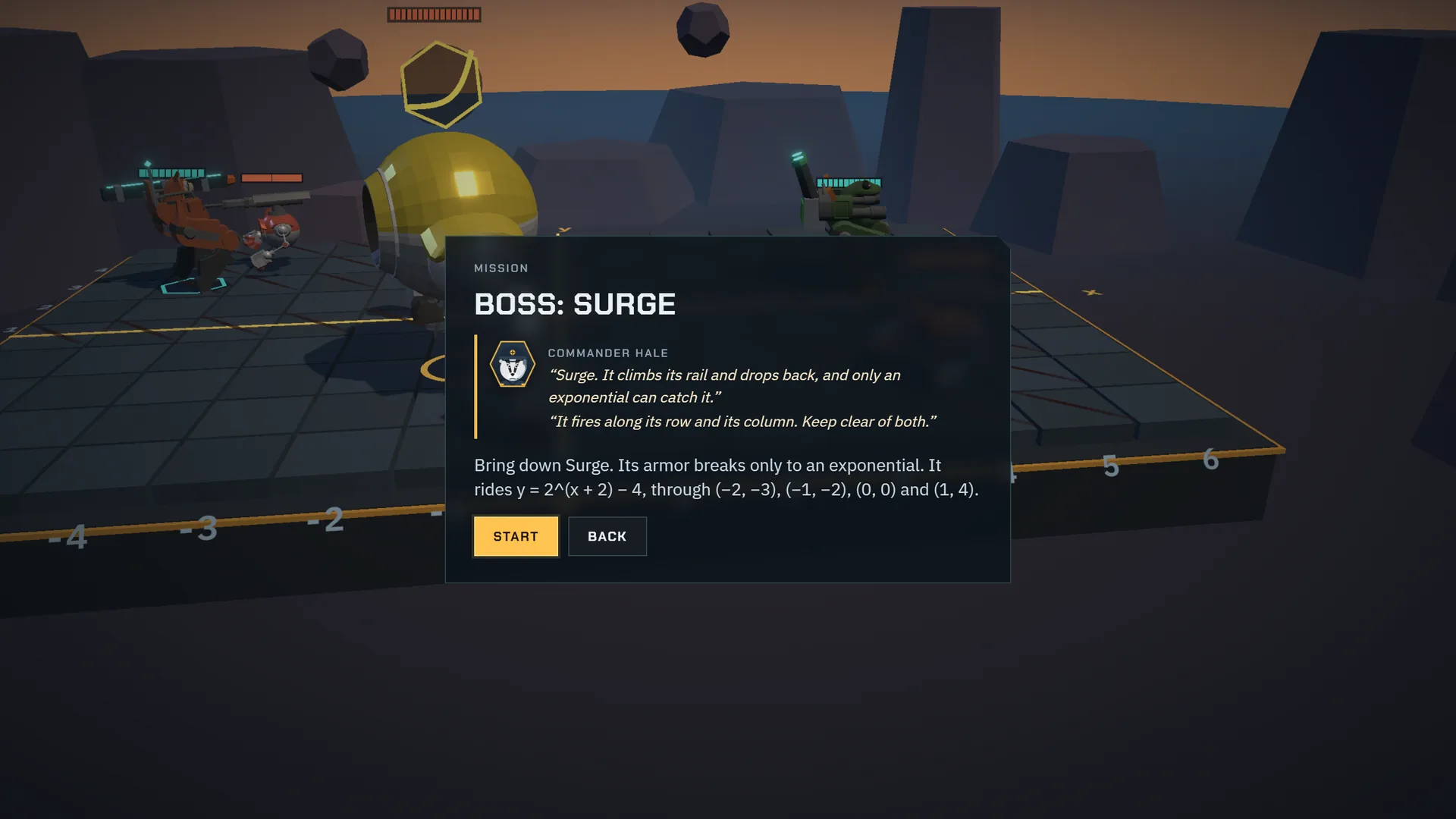
Commander Hale
Hale briefs the missions and debriefs the results, with the math in plain words: what the boss rides, and what the equation needs. Every line he says is recorded in a natural voice, and his lines follow the game’s sound switch and volume.
Progress and rewards
Rewards for playing, never for paying.
Levels, mechs and ranks come only from play. What a student can collect is for looks.
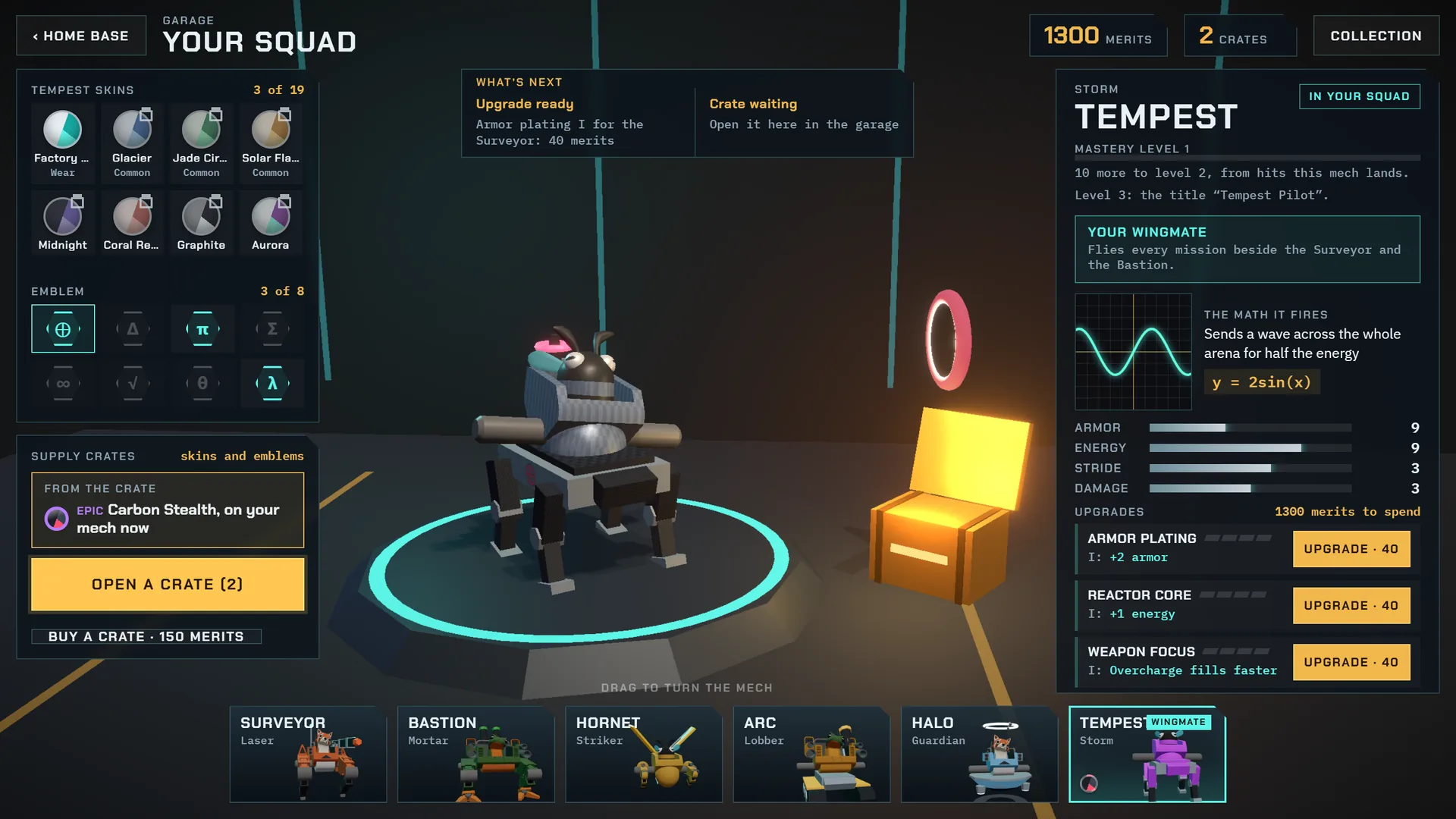
Merits and levels
Matches pay merits. Merits raise the student’s level and buy upgrades for each mech’s armor, reactor, weapon and legs.
Six mechs
Each mech is earned by playing, never bought, and levels up on the hits it lands, earning titles along the way.
Crates and cosmetics
Daily and weekly goals pay supply crates of skins, in four rarities, and emblems. Chapter banners and titles are earned in play. Looks only.
Boss MathCoins
10 MathCoins for the first win over each chapter boss of the student’s own course, and 5 for the week’s operation. At most 400 a school year.
Get Merits
MathCoins can become merits for parts and crates, never for levels, ranks or mechs. A teacher or parent can switch it off.
Fair matches
Every match is checked by our server before anything is saved or paid, so only a match the student really won counts.
For teachers
See the equations, and how students fixed them.
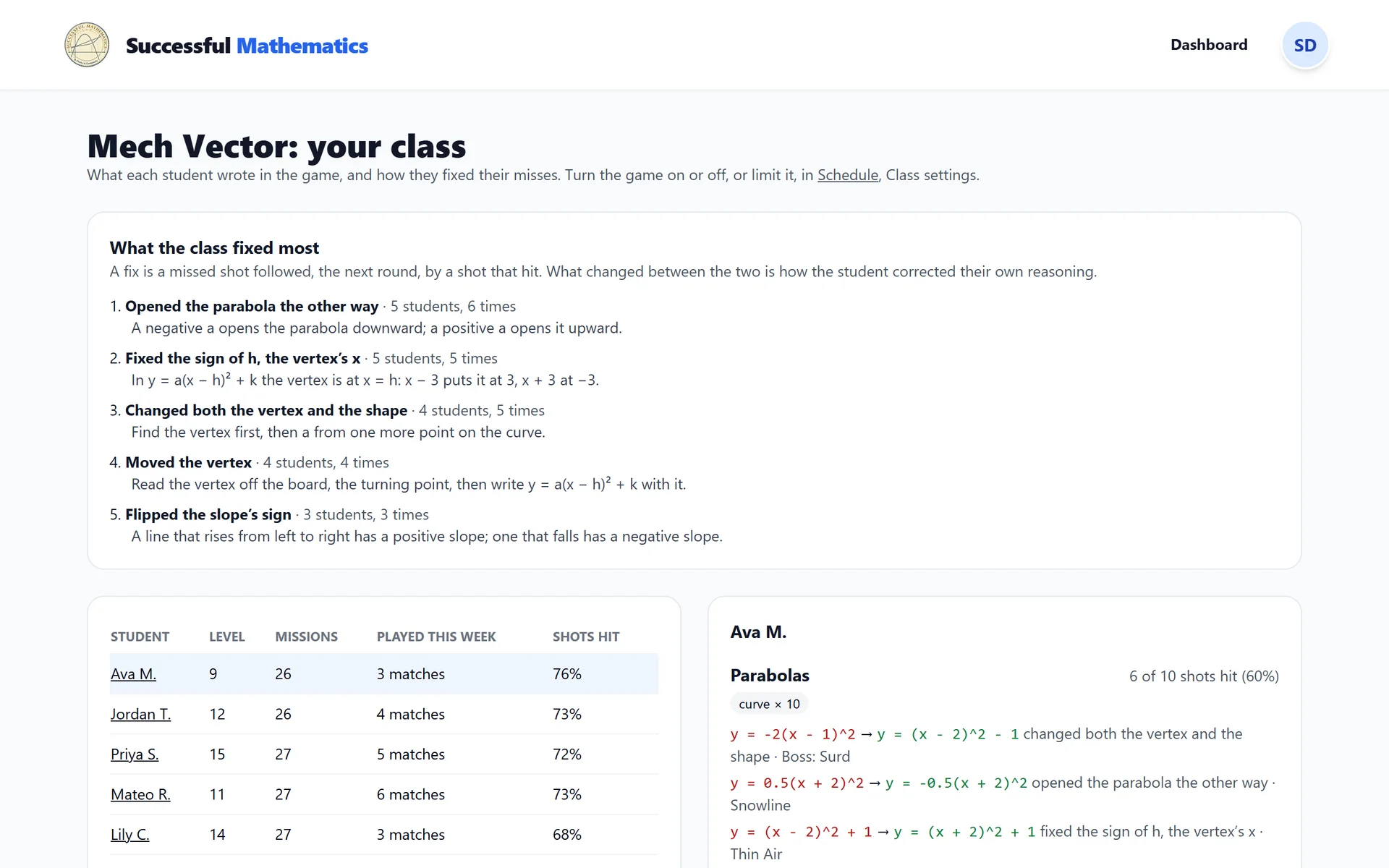
The class view lists what the class fixed most. A fix is a missed shot followed, the next round, by a hit from the same mech, so it shows a student correcting their own reasoning: flipping a slope’s sign, moving a parabola’s vertex to the other side. Each fix comes with a sentence to reteach it.
- Each student’s level, missions cleared, matches this week and share of shots that hit.
- Per student and per skill: the hit rate, the forms they write lines in, recent fixes and latest equations.
- Nothing extra is collected: it all comes from the shots students fired.
Class controls
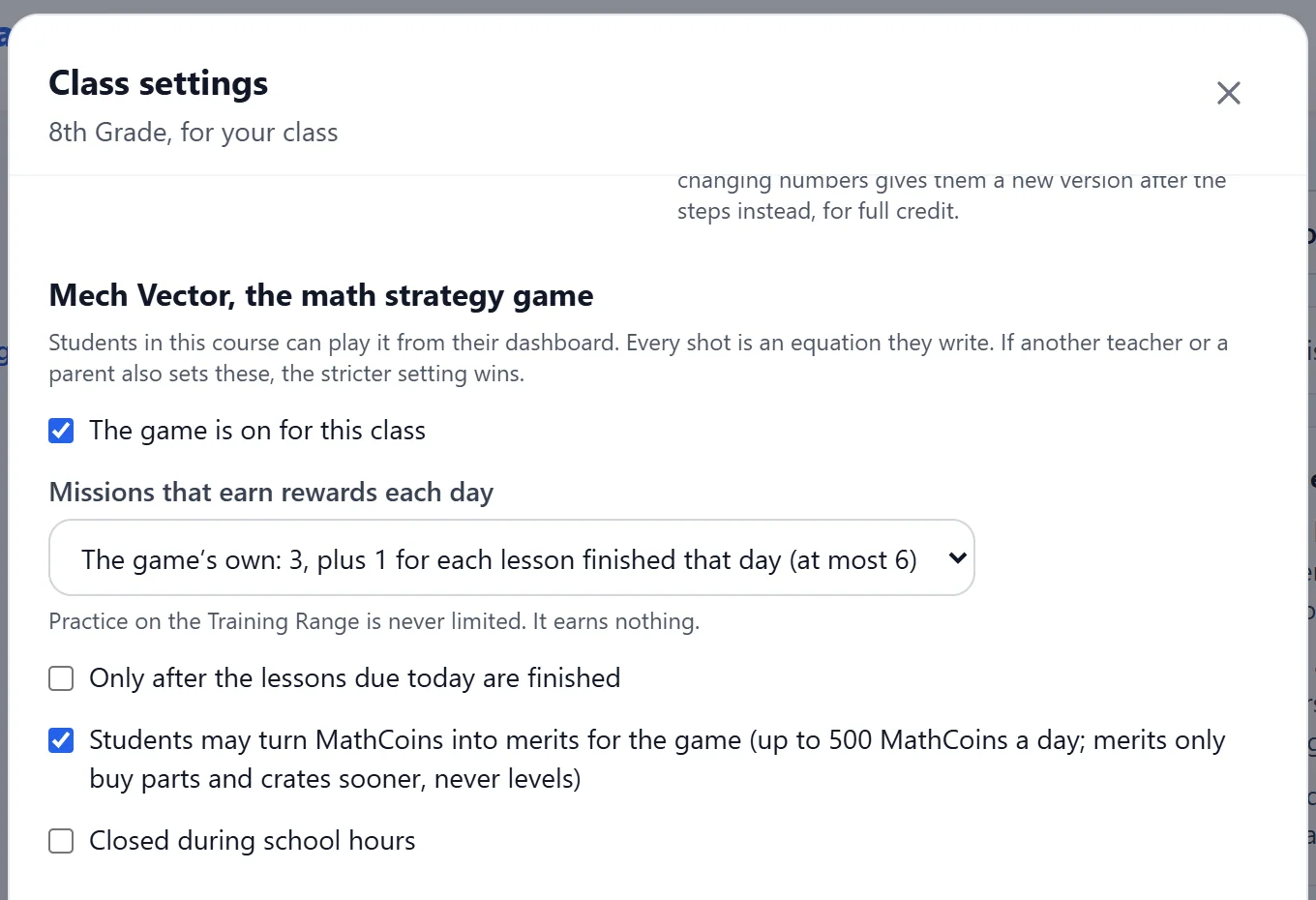
- Turn the game on or off for the class.
- Set the rewarded missions a day, from none to 6.
- Allow it only after the lessons due today are finished.
- Close it during school hours, on the days and times you pick.
- Allow or stop turning MathCoins into merits.
For parents
A short daily practice, not a time sink.
- 3 rewarded missions a day, plus 1 for each lesson finished that day, 6 at most.
- The same controls as teachers, in Class settings. The stricter limit wins.
- No free-text chat anywhere in the game.
- The game never asks for a card or a payment.
- Progress is saved to the student’s account and kept if a course ends.
What it runs on
Phones, tablets and computers.
- Plays in a web browser on phones, tablets, Chromebooks and computers, with a layout made for each.
- It lowers its graphics on its own on slower computers.
- On a touch screen, a math keypad keeps the board in view while typing.
- A whole mission can be played from the keyboard.
- With a screen reader, each round is announced and the board is written out as text.
- Larger text, sound captions, and reduced motion.
Questions
Is there a free demo?
Yes, with no account: Boot Camp, three demo missions (a line, a region and a parabola boss), the Training Range with every kind of math, and a look around the world map, the garage and a sample teacher view. Nothing in the demo is saved.
Read the help articleWho can play?
Every student with a live Successful Mathematics course: a class seat from a school, a course a parent bought, a Semester Pass, or College Algebra. Anyone can try the free demo without signing in. Teachers and parents can play in preview mode, which never counts in class statistics.
Read the help articleHow long does it take each day?
Students get 3 rewarded missions a day, plus 1 more for each lesson they finish that day, 6 at most: about 15 to 35 minutes. After that the Training Range stays open for practice that earns nothing. A teacher or parent can set a lower number.
Read the help articleDoes the story follow the course?
Yes. There is one chapter for each unit of the course, and a chapter opens when the student reaches its unit in their lessons. The last mission of each chapter is its boss.
Read the help articleCan students earn MathCoins?
A few, only for real progress: 10 for the first win over each chapter boss of their own course, 5 for the first win of each week’s operation, and at most 400 in a school year. The server checks every match before anything is paid.
Read the help articleCan merits be bought?
Students can turn MathCoins into merits for mech parts and supply crates, up to 500 MathCoins a day. Those merits never raise a level, a rank or a mech unlock, and parts still open at their level. A teacher or parent can switch this off.
Read the help articleHow do I limit it or turn it off?
In Schedule, choose the course and select Class settings. You can turn the game off, set the daily number of rewarded missions, allow it only after the day’s lessons, or close it during set hours. If a teacher and a parent both set limits, the stricter one wins.
Read the help articleCan it be played with a keyboard or a screen reader?
Yes. A whole mission can be played from the keyboard, each round is announced, and the board is also written out as text. There are larger text, sound captions, and reduced motion.
Read the help articleMech Vector comes with every course.
Choose a course for your student, or ask for a quote for your school or district.